VAT charged: SAR 0 · Seller is not VAT-registered. Payment is in SAR; your bank’s conversion may vary.
Loading controllers…
DualSense
CONTROLLERS. WHEELS. THE ODD HANDBRAKE.SET UP. DIAL IN. PLAY.
Your PlayStation controller. On your PC.
Use a supported DualSense, DualSense Edge or DualShock 4 in Xbox 360 or DualShock 4 emulation mode. Choose Native mode when the game supports your controller directly.
Extra features depend on the controller. Adaptive trigger effects require DualSense.
INSIDE KEYPABLE
Your whole setup. One place to dial it in.
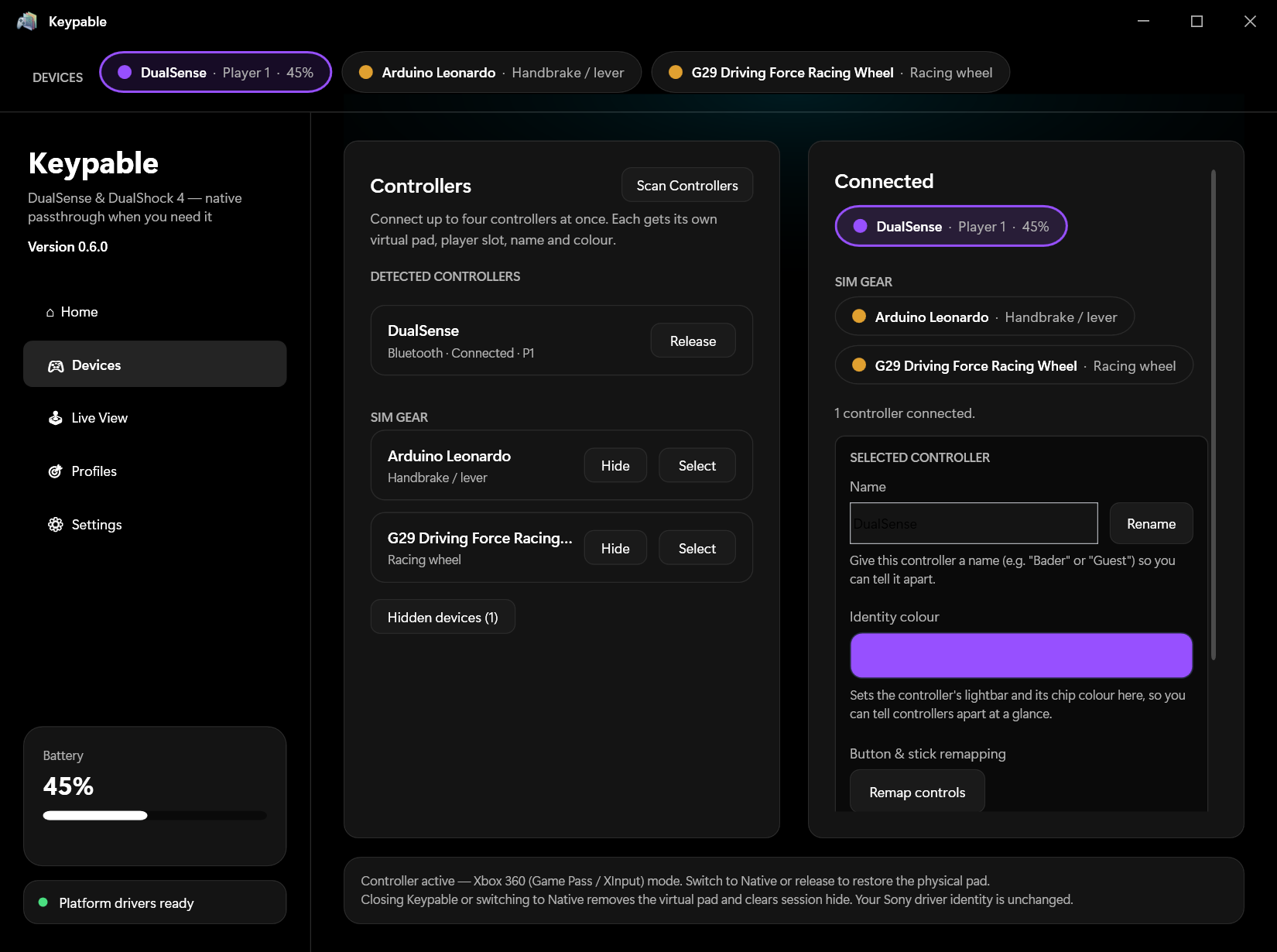
From the controller in your hands to the handbrake beside your seat. Take a look around the actual app.
01 / 05
Meet the controller your game expects.
Choose Native, Xbox 360 or DualShock 4 output. Keep your battery, connection and quick settings in view.
Actual Keypable screenshots Features vary by device
LESS BETWEEN YOU AND THE GAME
Three steps. Then you’re in.
01
Connect what you have.
Connect supported gear to your Windows PC. Keypable includes its driver setup; the first install may need a restart.
02
Make it yours.
Choose an emulation mode, map inputs and tune your controls. Save the setup that feels right.
03
Get back to playing.
Use your saved settings in supported PC games. Per-game profiles can switch with the game.
WHAT KEYPABLE DOES
The missing link between gear & game.
Keypable is a control center for PC inputs. It brings controller emulation, remapping, calibration and per-game settings into one Windows app.
Make the connection.
Present a supported PlayStation controller as a virtual Xbox 360 or DualShock 4 pad, or use Native mode for games that support it directly. Physical-controller hiding helps prevent double inputs.
Connect up to four game controllers, each with its own identity and settings, alongside supported sim gear.
Change what a control does.
Remap buttons, sticks and triggers. Use hold and toggle options to make repeated actions easier. Calibrate stick centers and deadzones, then verify your inputs in Live View.
On DualSense, aim with motion and use the touchpad to point, click and drag. Enable optional gyro shortcuts in Settings: hold L3 + R3 for two seconds while still to recalibrate, or triple-click R3 to pause and resume, including in Xbox mode. These buttons still reach the game.
Find your feel.
Pass game rumble to your controller, choose lightbar colors and add DualSense lighting effects. Riggy adds resistance to DualSense triggers, including in games without native adaptive-trigger support.
Copy your Windows output to the DualSense speaker or headphone jack over USB while the original output keeps playing. Playback mirroring does not mix microphones.
Bring the rest of your rig.
Map supported USB wheel steering to a stick, pedals to triggers, and handbrakes or button boxes to gamepad inputs. Guided calibration helps set their range; live visuals show what each input is doing.
Wheel support is beta and varies by model. Some devices need manufacturer software. Wheel force feedback is not available.
Keep your setup with you.
Save per-game profiles that switch when the game comes to the foreground. Profiles stay saved locally after you close the app. Import and export them between PCs, and enable controller memory to restore individual settings on reconnect.
Built-in driver setup and system checks help you get started. The interface supports 24 languages, including Arabic with right-to-left layout.
CHECK YOUR SETUP
What works today.
For Windows 10 / 11 and supported PC games.
PlayStationDualSense, DualSense Edge, DualShock 4
Switch Pro / Joy-ConBeta support
Generic USB & sim gearDepends on model and Windows recognition
Controller extrasAdaptive triggers and gyro aiming require DualSense
Support depends on the device and game. Xbox 360 mode describes a virtual PC controller output. It does not make every device compatible with every game or console.
Before you play.
USB or Bluetooth?
Supported PlayStation controllers work over USB or Bluetooth. Features vary by controller and connection; controller audio routing requires USB.
Which buttons will my game show?
Xbox 360 mode normally shows Xbox prompts (A, B, X, Y). Choose Native when your game supports your PlayStation controller directly and you want its original prompts. Support varies by game.
What does my purchase include?
One standalone licence for up to two PCs you own or control. Updates are included while Keypable is maintained and distributed. Manage activations in your account. See the licence terms and refund policy.
Does every game allow it?
Compatibility depends on the game and its anti-cheat rules. We cannot guarantee that every game or anti-cheat system permits virtual controllers; check the game’s policy before using it.
BUILT TO KEEP GETTING BETTER
Your next controller could be our next test.
We’re working to support more hardware. Access to real devices and useful diagnostic logs helps us investigate, test, and improve compatibility. We’ll be clear about what works today and what’s still being tested.